Compound Interest
1. Assume you put $100 into a bank. How much will your investment be worth after 1 year at an annual interest rate of 8%? The answer is $108.
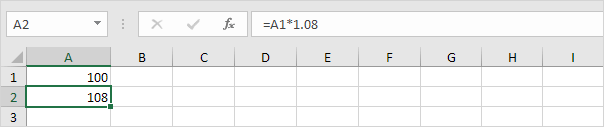
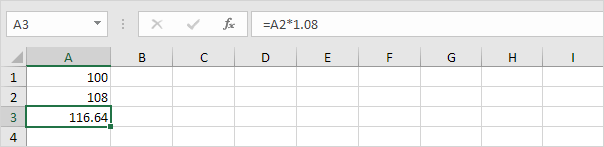
2. Now this interest ($8) will also earn interest (compound interest) next year. How much will your investment be worth after 2 years at an annual interest rate of 8%? The answer is $116.64.
3. How much will your investment be worth after 5 years? Simply drag the formula down to cell A6.
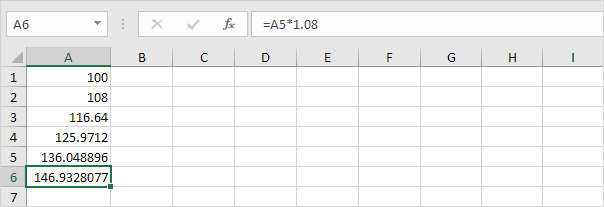
The answer is $146.93.
4. All we did was multiplying 100 by 1.08, 5 times. So we can also directly calculate the value of the investment after 5 years.
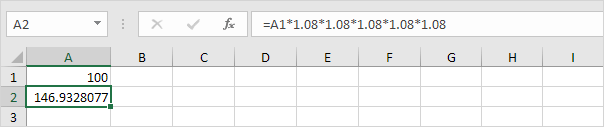
which is the same as:
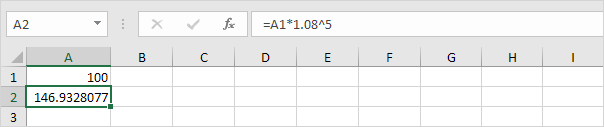
Note: there is no special function for compound interest in Excel. However, you can easily create a compound interest calculator to compare different rates and different durations.5. Assume you put $100 into a bank. How much will your investment be worth after 5 years at an annual interest rate of 8%? You already know the answer.
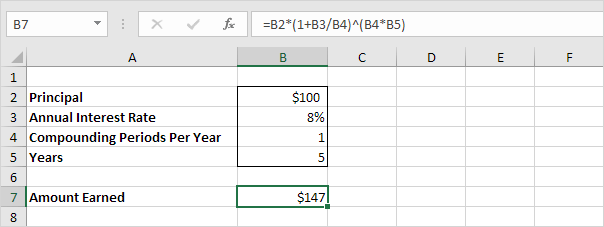
Note: the compound interest formula reduces to =100*(1+0.08/1)^(1*5), =100*(1.08)^5
6. Assume you put $10,000 into a bank. How much will your investment be worth after 15 years at an annual interest rate of 4% compounded quarterly? The answer is $18,167.
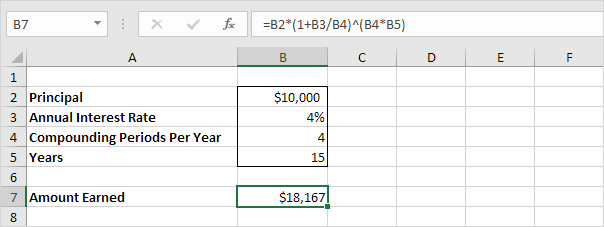
Note: the compound interest formula reduces to =10000*(1+0.04/4)^(4*15), =10000*(1.01)^60
7. Assume you put $10,000 into a bank. How much will your investment be worth after 10 years at an annual interest rate of 5% compounded monthly? The answer is $16,470.
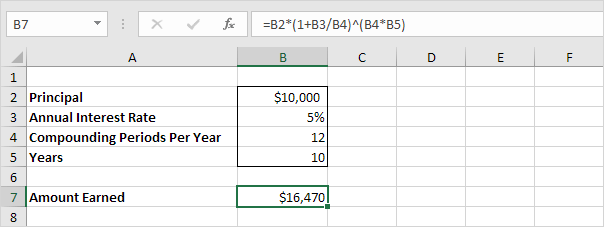
Note: the compound interest formula always works. If you're interested, download the Excel file and try it yourself!
PMT
Consider a loan with an annual interest rate of 6%, a 20-year duration, a present value of $150,000 (amount borrowed) and a future value of 0 (that's what you hope to achieve when you pay off a loan).
1. The PMT function below calculates the annual payment.
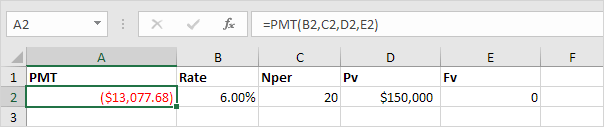
Note: if the fifth argument is omitted, it is assumed that payments are due at the end of the period. We pay off a loan of $150,000 (positive, we received that amount) and we make annual payments of $13,077.68 (negative, we pay).
2. The PMT function below calculates the quarterly payment.
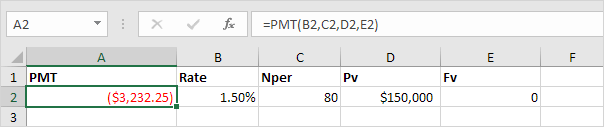
Note: we make quarterly payments, so we use 6%/4 = 1.5% for Rate and 20*4 = 80 for Nper (total number of periods).
3. The PMT function below calculates the monthly payment.
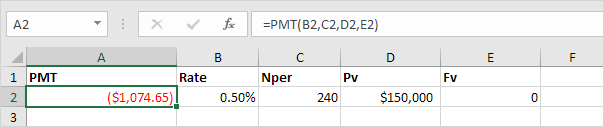
Note: we make monthly payments, so we use 6%/12 = 0.5% for Rate and 20*12 = 240 for Nper (total number of periods).
Consider an investment with an annual interest rate of 8% and a present value of 0. How much money should you deposit at the end of each year to have $1,448.66 in the account in 10 years?
4. The PMT function below calculates the annual deposit.
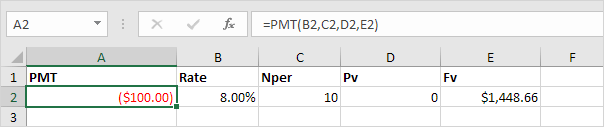
Explanation: in 10 years time, you pay 10 * $100 (negative) = $1000, and you'll receive $1,448.66 (positive) after 10 years. The higher the interest, the faster your money grows.
Consider an annuity with an annual interest rate of 6% and a present value of $83,748.46 (purchase value). How much money can you withdraw at the end of each month for the next 20 years?
5. The PMT function below calculates the monthly withdrawal.
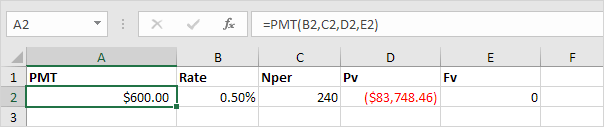
Explanation: you need a one-time payment of $83,748.46 (negative) to pay this annuity. You'll receive 240 * $600 (positive) = $144,000 in the future. This is another example that money grows over time.
PPMT and IPMT
Consider a loan with an annual interest rate of 5%, a 2-year duration and a present value (amount borrowed) of $20,000.
1. The PMT function below calculates the monthly payment.
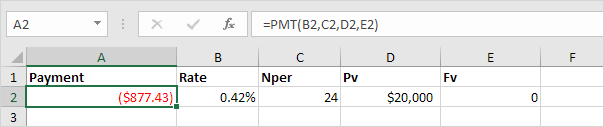
Note: we make monthly payments, so we use 5%/12 for Rate and 2*12 for Nper (total number of periods).
2. The PPMT function in Excel calculates the principal part of the payment. The second argument specifies the payment number.
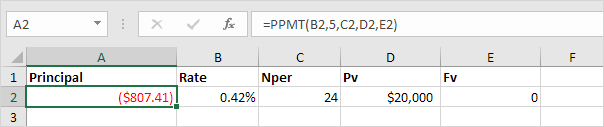
Explanation: the PPMT function above calculates the principal part of the 5th payment.
3. The IPMT function in Excel calculates the interest part of the payment. The second argument specifies the payment number.
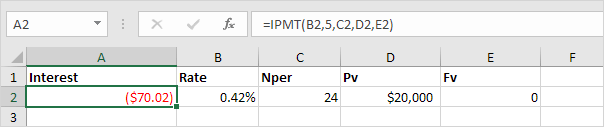
Explanation: the IPMT function above calculates the interest part of the 5th payment.
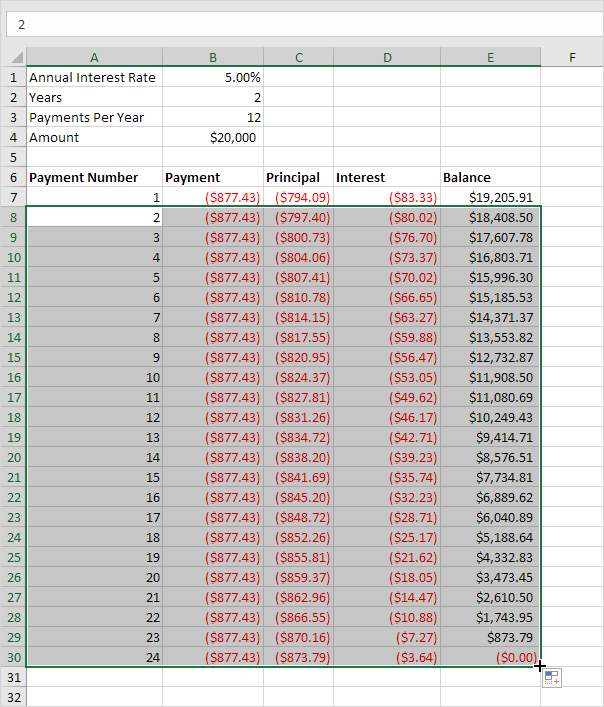
4. It takes 24 months to pay off this loan. Create a loan amortization schedule (see picture below) to clearly see how the principal part increases and the interest part decreases with each payment.